
Life Capture Pocket · iPhone and iPad · Free
The moment, and what you'd say about it.
Your Studio archive starts with the photos you already have. Pocket is how it keeps growing: capture a photo or video, add your voice or a few words while the memory is fresh, and move on with your day. Everything stays on your device until it hands off to your Mac.

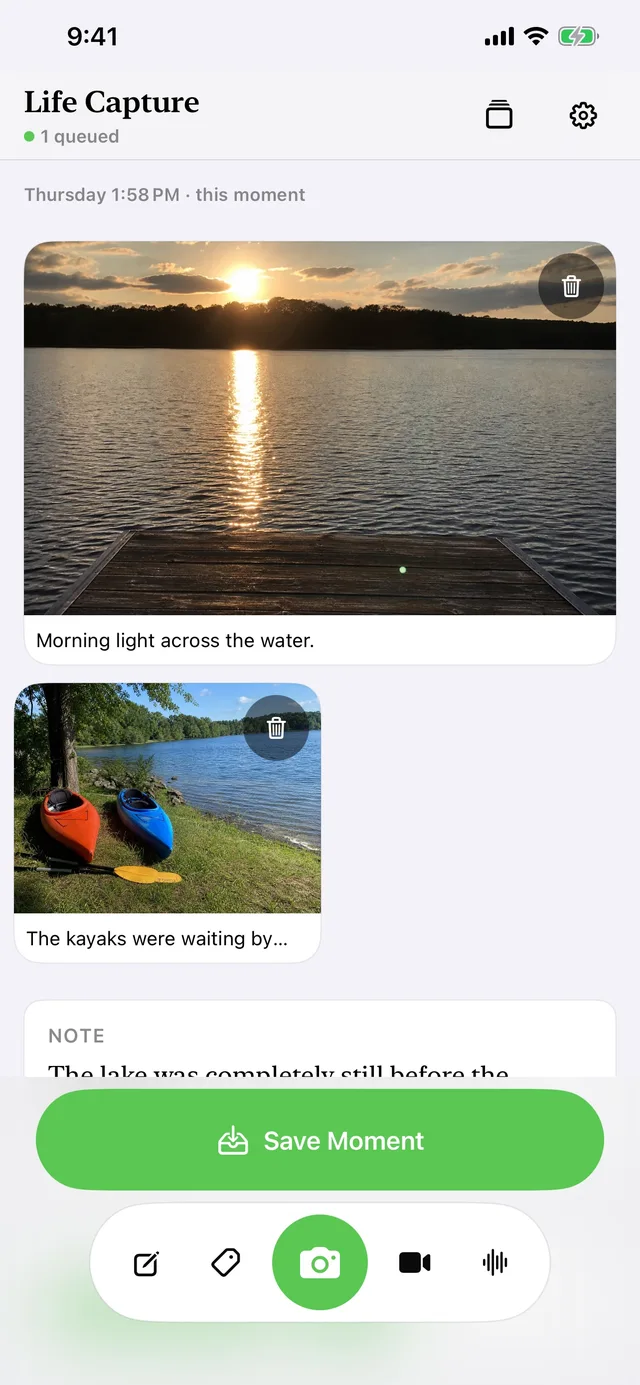
Capture
Capture it. Add the context that matters.
Photos, video, voice, and writing capture the memory. Tags and place help you find its thread later. Pocket keeps it all together as one Moment.
Photos
Capture in the app, or bring in a photo you just took. The image is the prompt.
Video with sound
Video keeps its original audio, so Studio can transcribe what was said on your Mac later.
Voice notes
Say who was there, what happened, why it mattered. Your voice is the memory.
Written notes
A quick typed line when speaking isn't right for the moment.
Tags
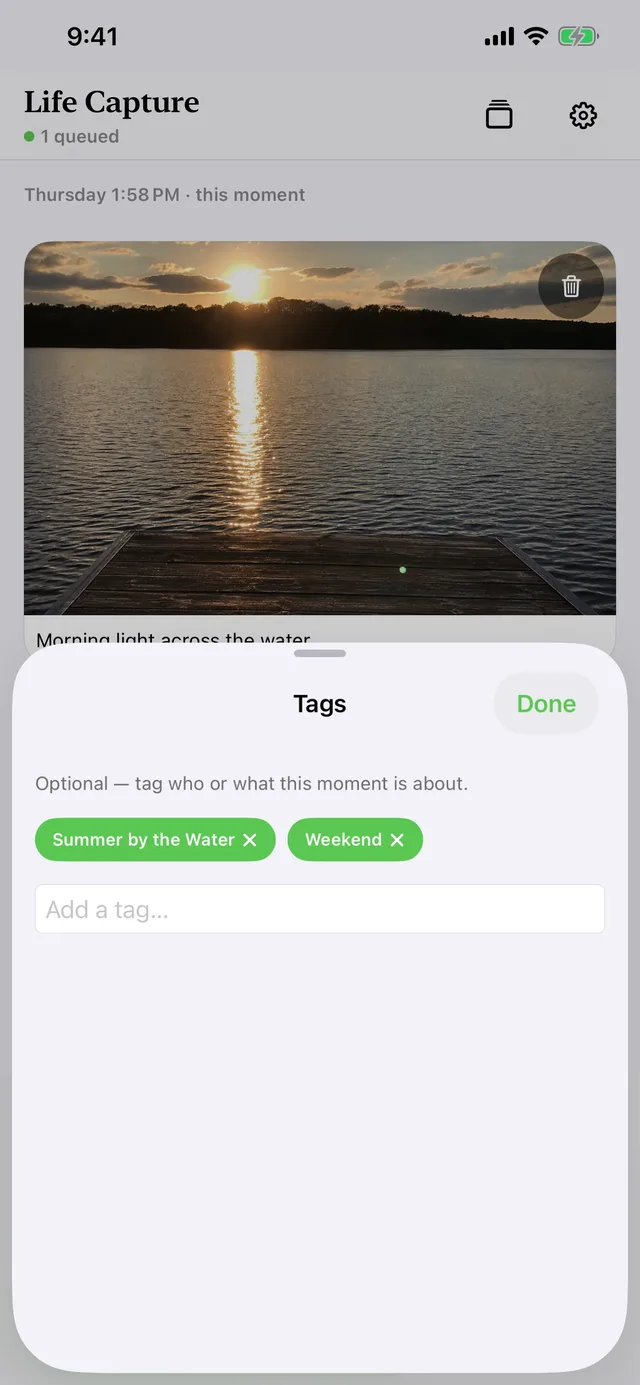
Mark the people, places, and threads you'll want to follow later.
Place
Optionally keep the location with the Moment — where life actually happened.
Context, per photo and per video
The detail the camera couldn't know.
Context in Pocket isn't an afterthought attached to nothing in particular — voice notes and written notes belong to the specific photo or video that prompted them. That link travels with the Moment to Studio, where it becomes the backbone of the day's story.
And when there's nothing to say, say nothing. A photograph can stand on its own.
Library and transfer
Captured, kept, delivered.
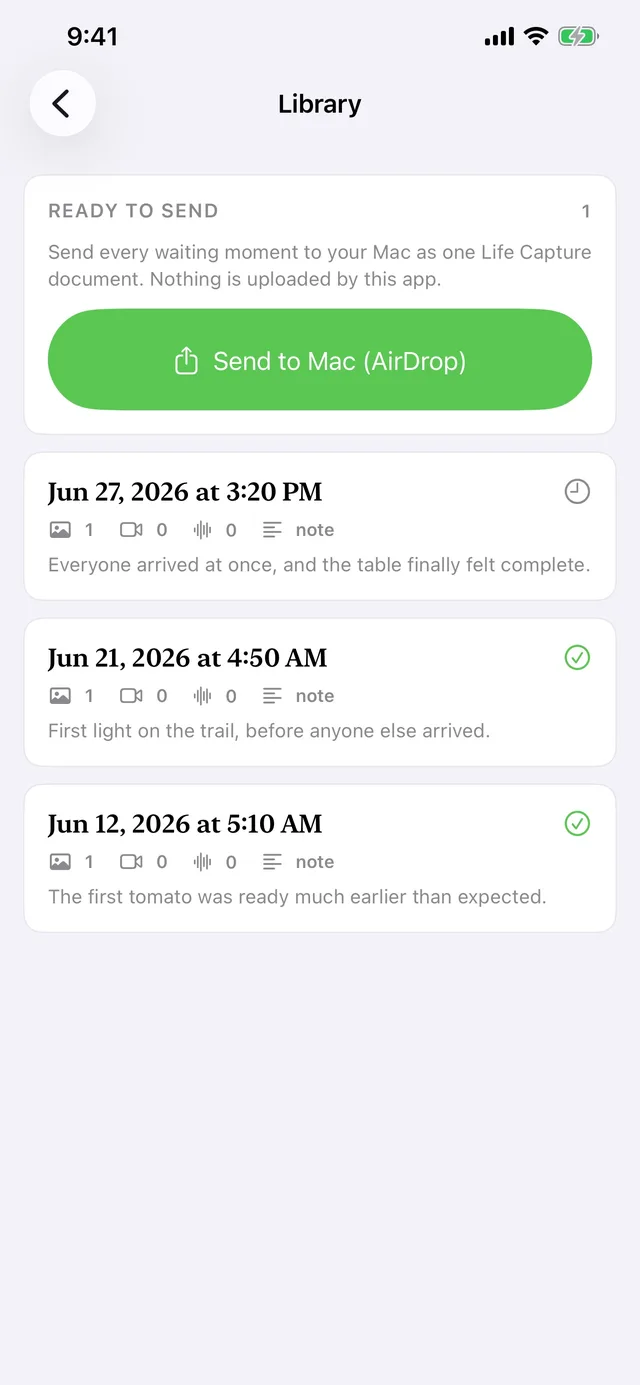
Your library shows every Moment on the device and its transfer state, so you always know what has reached your Mac and what is still pending.
- Works entirely offline — no account, no feed, no sign-in
- Pair once with Studio using a six-digit code
- Moments transfer directly over your network at home — or from anywhere, encrypted, with Receive away from home turned on in Studio
- Not reachable? Captures queue and deliver automatically later
- AirDrop export works as a manual alternative
iPhone and iPad
Made for the device in your hand.
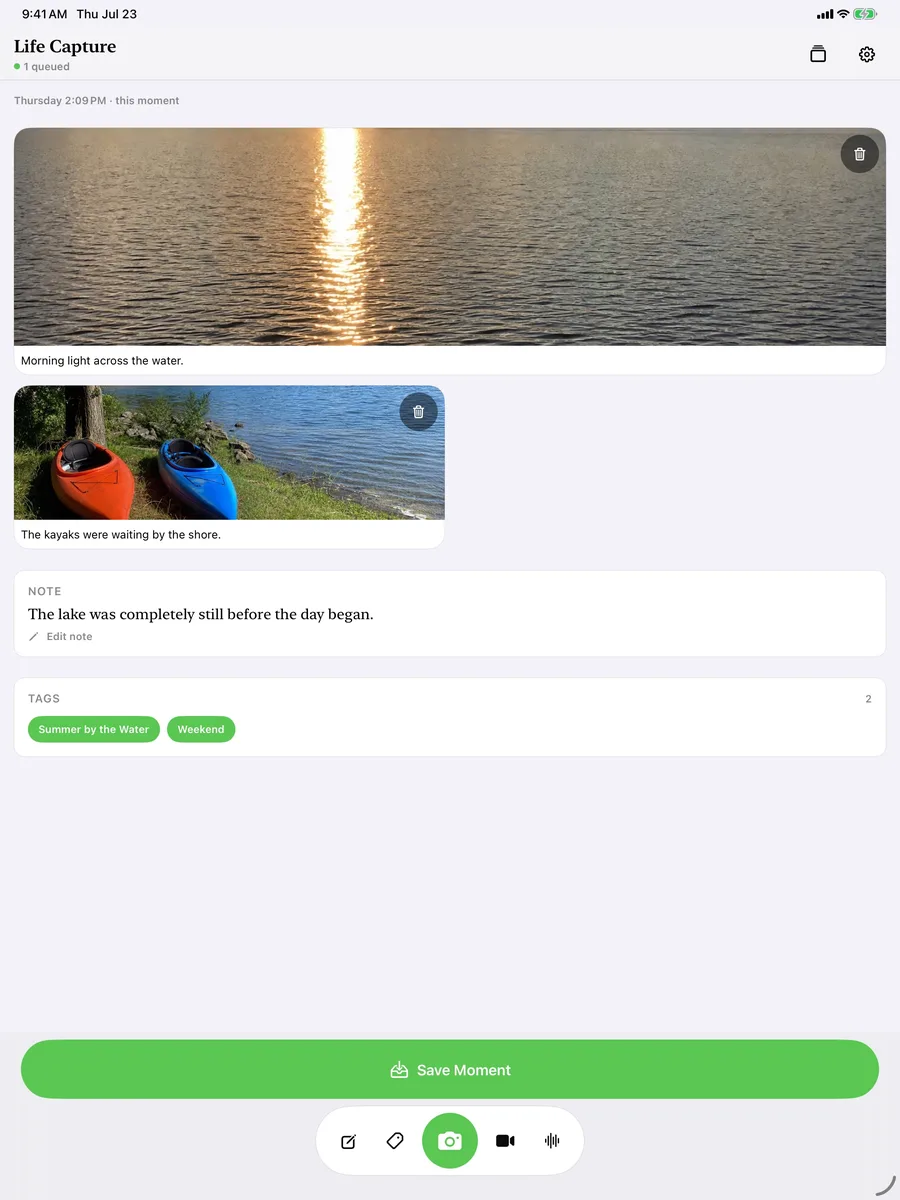
Pocket runs on iPhone and iPad with iOS or iPadOS 18 or later. The iPad layout gives the Moment Canvas more room to breathe — same capture, same privacy, same archive.
Pocket is free. It pairs with Life Capture Studio on your Mac, where Moments become stories — but everything Pocket captures is stored safely on your device either way.
Start capturing today.
Free on the App Store for iPhone and iPad.